Last updated on September 29th, 2025 at 08:23 am
Animation is a craft that combines creativity, technical skill, and precision. Whether you’re working on traditional 2D frame-by-frame animation or complex digital rigs, the tools you choose play a critical role in the quality and efficiency of your workflow. One of the most essential tools in a modern animator’s arsenal is a drawing tablet for animation.
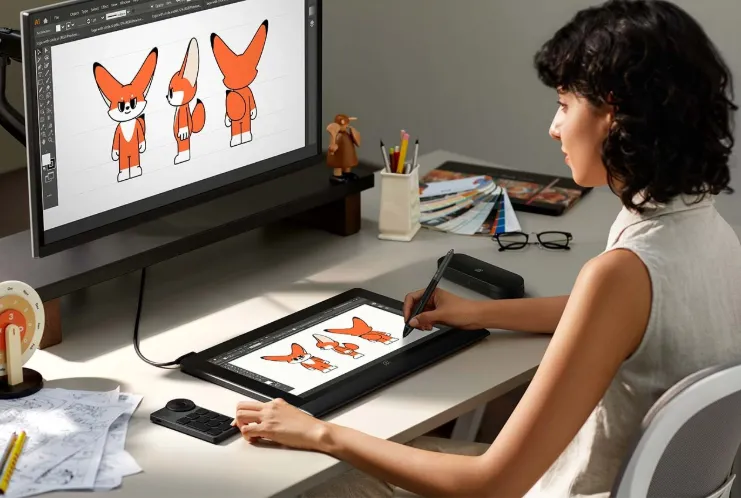
But not all tablets are created equal. Finding the right device tailored to your animation needs requires a clear understanding of the features that truly matter. In this article, we will explore the key aspects animators should look for in a drawing tablet and explain why the XPPen Artist Ultra 16 stands out as a leading choice for professionals and enthusiasts alike.
Why a Drawing Tablet for Animation Is Indispensable
Animation demands fluid and accurate input. The ability to draw with precision, control line thickness and opacity, and easily edit frames can make the difference between a clunky animation and a seamless visual story. A high-quality drawing tablet allows animators to replicate the natural feel of pen and paper while leveraging digital advantages such as undo, layers, and color adjustments.
While some may start animation with a mouse or basic touchscreen, these tools quickly prove limiting. A dedicated drawing tablet for animation offers pressure sensitivity, tilt recognition, and a more ergonomic drawing surface that reduces fatigue during long sessions.
Key Features to Consider When Choosing a Drawing Tablet for Animation
1. Pressure Sensitivity
Pressure sensitivity is arguably the most critical feature for animators. It determines how the tablet senses the force you apply with the stylus, influencing line thickness, opacity, and brush dynamics.
- Why It Matters: Animators often need to vary stroke intensity for expression and detail. High pressure sensitivity allows for more nuanced drawing, crucial when working on character expressions, smooth lines, and shading.
- What to Look For: Aim for a tablet with at least 8192 levels of pressure sensitivity for professional-grade control.
The XPPen Artist Ultra 16 boasts an impressive 16,384 levels of pressure sensitivity, which is double the industry standard, enabling incredibly precise and natural strokes that enhance the animator’s control and creativity.
2. Screen Size and Resolution
Animation workflows involve detailed drawing and continuous frame adjustments. Therefore, the tablet’s screen size and resolution significantly impact your ability to see fine details clearly.
- Screen Size: A larger drawing surface (typically 13–16 inches) provides more room to work comfortably, reducing the need to zoom and scroll constantly.
- Resolution: A higher screen resolution ensures your drawings appear crisp and precise, helping avoid pixelation that can mislead your line work.
The XPPen Artist Ultra 16 features a 16-inch OLED display (3840×2160), offering a perfect balance between ample workspace and desk portability. This clarity helps animators catch small details essential for frame-by-frame accuracy.
3. Color Accuracy
Color accuracy is crucial not only for illustrators but also for animators, especially those involved in color grading, compositing, and final output review.
- Why It Matters: A tablet with a wide color gamut displays vibrant and accurate colors, reducing surprises when animations move from the studio to final screens.
- What to Look For: Aim for devices supporting 99% Adobe RGB or DCI-P3 color spaces.
The Artist Ultra 16 covers 99% Adobe RGB and 98% DCI-P3, ensuring what you see on-screen closely matches the colors in your final projects, whether for film, television, or web.
4. Latency and Responsiveness
Latency refers to the delay between your pen movement and the line appearing on the screen. Low latency is essential for smooth, natural drawing and avoiding any distracting lag that breaks concentration.
- Why It Matters: In animation, where timing and rhythm are everything, latency can affect your ability to draw fluid frames and catch errors on the fly.
- What to Look For: Choose tablets known for ultra-low latency and smooth tracking.
The XPPen Artist Ultra 16 is engineered with cutting-edge technology that delivers near-instantaneous pen tracking, providing an experience akin to drawing on paper.
5. Tilt Support
Tilt functionality detects the angle at which you hold the stylus, enabling advanced brush effects such as shading, calligraphy, and nuanced line variation.
- Why It Matters: Animators working in programs that simulate natural media benefit from tilt support to create dynamic, realistic strokes.
- What to Look For: At least 60 degrees of tilt recognition.
The XPPen Artist Ultra 16 supports tilt function, allowing animators to achieve subtle shading and varied textures that add depth and professionalism to their animations.
6. Ergonomics and Build Quality
Animation can be a time-consuming process, requiring long hours of drawing. The physical design of your tablet and stylus significantly impacts comfort and productivity.
- Ergonomics: Look for a lightweight tablet with an adjustable stand or compatibility with ergonomic accessories to reduce wrist and neck strain.
- Build Quality: Durable construction and a smooth, anti-glare drawing surface improve comfort and longevity.
The XPPen Artist Ultra 16 offers a slim, lightweight design paired with an anti-glare fully laminated screen that reduces reflection and offers a paper-like feel. This design reduces fatigue and enhances precision during extended animation sessions.
7. Software Compatibility
A drawing tablet for animation must integrate seamlessly with the animation software you use daily.
- Popular software includes Adobe Animate, Toon Boom Harmony, Clip Studio Paint EX, TVPaint, and OpenToonz.
- Ensure the tablet supports drivers compatible with your operating system (Windows, macOS, or Android).
The XPPen Artist Ultra 16 boasts broad compatibility, supporting major animation and design programs and working flawlessly across Windows, macOS, and even select Android devices.
8. Connectivity and Portability
- Connectivity: USB-C and HDMI options provide reliable, fast connections to your computer.
- Portability: If you animate on the go, consider weight and ease of setup.
The XPPen Artist Ultra 16 supports USB-C and HDMI connections and features a compact design ideal for both studio and mobile use.
Why the XPPen Artist Ultra 16 Is an Outstanding Choice for Animators
Combining all the features above, the XPPen Artist Ultra 16 offers a remarkable package tailored for animation professionals and serious hobbyists:
- Superior Pen Performance: 16,384 pressure levels and tilt support for detailed, expressive strokes.
- High-Resolution Display: 16-inch OLED screen with excellent color accuracy.
- Low Latency: Instantaneous tracking for smooth animation workflow.
- Ergonomic Design: Lightweight, slim, and anti-glare screen to reduce eye strain.
- Wide Software Compatibility: Supports all popular animation tools and OS platforms.
- Versatile Connectivity: USB-C and HDMI for flexible setup.
Moreover, it provides all these high-end features at a competitive price point compared to other premium pen displays, making it an accessible yet professional tool for animators.
Conclusion
Selecting the right drawing tablet for animation is vital to ensuring your creative process is smooth, precise, and enjoyable. Prioritize features like pressure sensitivity, screen size and resolution, color accuracy, low latency, and tilt support to meet the demands of animation workflows.
Among the many options available, the XPPen Artist Ultra 16 stands out as an excellent choice for animators looking for professional performance without compromise. Whether you’re crafting detailed 2D frames or dynamic character animations, this tablet empowers your creativity with precision and comfort.
Investing in the right drawing tablet is an investment in your craft. Choose wisely, and your tools will help bring your animations to life with the quality and fluidity they deserve.